Google's threat intelligence team counted 141 vulnerabilities disclosed and exploited between January and August 2026. That's already more than the 127 exploited in all of 2025. If your team still scans once a quarter, you're working to a calendar attackers stopped using a while ago.
This guide covers what changed this year, which flaws are being hit right now, and the vulnerability management process we use (and built into CyberSpec) so a small team can find exposures, fix the right ones first, and prove it to an auditor.
What changed in 2026
Four numbers tell most of the story.
- 18 exploited vulnerabilities a month. GTIG's October 2026 report puts the 2026 monthly average at 18, up from 10.5 in 2025. Zero-days alone jumped to 22 in August (Google Threat Intelligence Group).
- Minus seven days to exploit. Mandiant's M-Trends 2026 estimates the mean time to exploit at -7 days. On average, exploitation now starts before a patch exists (M-Trends 2026).
- 32% of intrusions start with an exploit. For the sixth year running, exploits were the most common initial infection vector Mandiant investigated.
- 14 days of dwell time. The global median time attackers spend inside a network before being found rose from 11 to 14 days in the same report. Get in faster, stay longer.
The BeyondTrust case shows what that looks like in practice. CVE-2026-1731 is an unauthenticated command injection in BeyondTrust Remote Support and PRA. After it was publicly disclosed, GTIG saw the first attack group exploiting it within four days, and five more within a week. Those attackers escalated privileges, pulled data out, and dropped cryptominers.
Four days. Most teams haven't triaged a new advisory in four days, let alone patched it.
Part of the speed-up is AI. GTIG notes attackers can feed patch diffs and advisories to language models to build working exploits from a fix much faster. In May, Google reported the first known zero-day exploit built with generative AI, caught before it was used in the wild. The defensive takeaway is uncomfortable: "patch Tuesday, scan Friday, fix next sprint" now loses the race by design.
Which vulnerabilities attackers are exploiting right now
Look at what CISA added to its Known Exploited Vulnerabilities (KEV) catalog in a single week of October 2026:
| Date added | CVE | Product | Flaw |
|---|---|---|---|
| Oct 14 | CVE-2026-0322 | Palo Alto Networks PAN-OS | Code injection |
| Oct 14 | CVE-2026-76519 | Cisco Secure Email Gateway | Path traversal |
| Oct 14 | CVE-2026-105133 / -105134 | Ahsay AhsayCBS | Auth bypass, command injection |
| Oct 15 | CVE-2026-21589 | Atlassian (multiple products) | Files exposed to external parties |
| Oct 16 | CVE-2025-61624 | Fortinet (multiple products) | Path traversal |
| Oct 16 | CVE-2026-102764 | BeyondTrust Remote Support | Authentication bypass |
See the pattern? Firewalls, VPNs, email gateways, remote access tools, backup servers. Almost everything on that list sits on the edge of the network, reachable from the internet. That's the attack surface an outside scan sees, and the one attackers check first.
It's also why the "we're too small to be a target" argument doesn't hold. Nobody picks your company by name. They scan the internet for an unpatched PAN-OS build and take whatever answers.
How do you prioritize vulnerabilities when there are hundreds?
Fix exploited, internet-facing flaws first. Then high-severity flaws on exposed services. Then everything else, on a deadline. CVSS alone isn't enough: GTIG found only 0.23% of 2026 vulnerabilities (about 1 in 431) were ever seen exploited. Known exploitation and exposure tell you far more than a severity score does.
In practice, we sort every finding into one of three buckets:
- Fix today. The CVE is in CISA KEV (or has public exploit code) and the affected service is reachable from the internet. Drop other work for these.
- Fix this sprint. Critical or high CVSS on an exposed service, no known exploitation yet. Given the minus-seven-day number above, "not yet" is doing a lot of work in that sentence.
- Fix on a schedule, or accept in writing. Internal-only, low severity, or mitigated another way. Give each one an owner and a review date. A risk you've written down and accepted is a decision. A risk nobody remembers is a gap.
That last point trips up more teams than any CVE. An auditor will happily accept "we know about this, here's why it's low risk, we review it every 90 days." They won't accept a finding that's sat untouched in a spreadsheet since February.
A vulnerability management process small teams can actually run
Enterprise playbooks assume a security team. Most of the companies we work with have one engineer who also owns infrastructure, on-call, and the office Wi-Fi. This process is built for that person.
1. Inventory what's reachable from the internet
You can't scan what you don't know about. List every domain, subdomain, public IP, and cloud range you own. Then hunt for the ones you forgot: the staging server from 2024, the marketing microsite, the old VPN appliance that "nobody uses."
What goes wrong: people inventory what's in the cloud console and miss DNS records pointing at boxes nobody remembers. Start from DNS, not from the dashboard.
2. Scan continuously, not quarterly
Quarterly scans made sense when exploitation took weeks. Now a quarterly scan tells you about a hole that's been open for up to 89 days. Run scheduled scans at least weekly on internet-facing assets, and an extra one whenever a major advisory hits for software you run.
What goes wrong: scan schedules quietly decay. Someone pauses the job during a migration and it never comes back. Automate it so nobody has to remember.
3. Deduplicate before you triage
Your first scan will produce a wall of findings. Your second scan will produce the same wall again, plus a few new ones. If your tooling treats each run as a fresh list, your team spends Monday re-reading last week's results and the genuinely new exposure gets lost in the noise.
Track each finding once, with a first-seen and last-seen date. New rows should mean something actually changed.
4. Assign an owner and a deadline
Every open finding needs a name next to it. Not a team. A person. Pair it with a deadline based on the bucket above: today, this sprint, or a scheduled date.
What goes wrong: findings land in a shared channel, everyone assumes someone else has it, and three weeks later it's still open. Ownership is the control that turns a scanner into a process.
5. Fix, then verify with a rescan
Patching isn't done when the change is merged. It's done when a fresh scan confirms the service no longer responds as vulnerable. We've seen "patched" appliances still running the old firmware because the update needed a reboot nobody scheduled.
Mark findings resolved only after the rescan comes back clean. If you decide not to fix something, mark it as an accepted risk or false positive with a reason, so it doesn't reappear as new next week.
6. Map findings to your compliance controls
If you're working toward SOC 2, ISO 27001, or PCI DSS, every open finding is also an audit question. SOC 2 CC7.1 asks how you detect and respond to vulnerabilities. ISO 27001 Annex A 8.8 covers management of technical vulnerabilities. PCI DSS has its own scanning and patching requirements.
Doing that mapping by hand the week before an audit is miserable. Doing it as findings come in means your evidence builds itself: scan history, resolution dates, accepted risks with reasons. Our HIPAA compliance checklist and fintech compliance guide go deeper on what auditors look for in each industry.
How CyberSpec handles this workflow
We designed and built CyberSpec because the companies we work with kept hitting the same wall. Enterprise scanners found the problems but started at five figures and a sales call. Compliance platforms collected evidence but didn't scan anything. Nobody answered the question every team asks before a SOC 2 report: which control does this open finding actually break?
(You can read the full build story in our CyberSpec case study.)
Here's how it maps to the process above:
- Inventory and ownership. Add a domain, IP, or CIDR range, then verify you own it with a DNS TXT record, a well-known file, or attestation. You can only scan what you've proven is yours.
- Continuous scanning. Quick, full, and custom scans, on demand or on a cron-style schedule, with live progress. Drift gets caught on the next run instead of the next quarter.
- Deduplicated findings. Each result is correlated against CVEs, scored with CVSS, and tracked once with first-seen and last-seen dates instead of duplicate rows.
- Fix guidance in plain English. Every finding comes with remediation steps, and an AI explanation of what the issue means and how to fix it, so the person assigned doesn't need a security background to act on it.
- Triage that leaves a record. Filter the findings table and bulk-mark items as resolved, false positive, or risk accepted. That history becomes your audit trail.
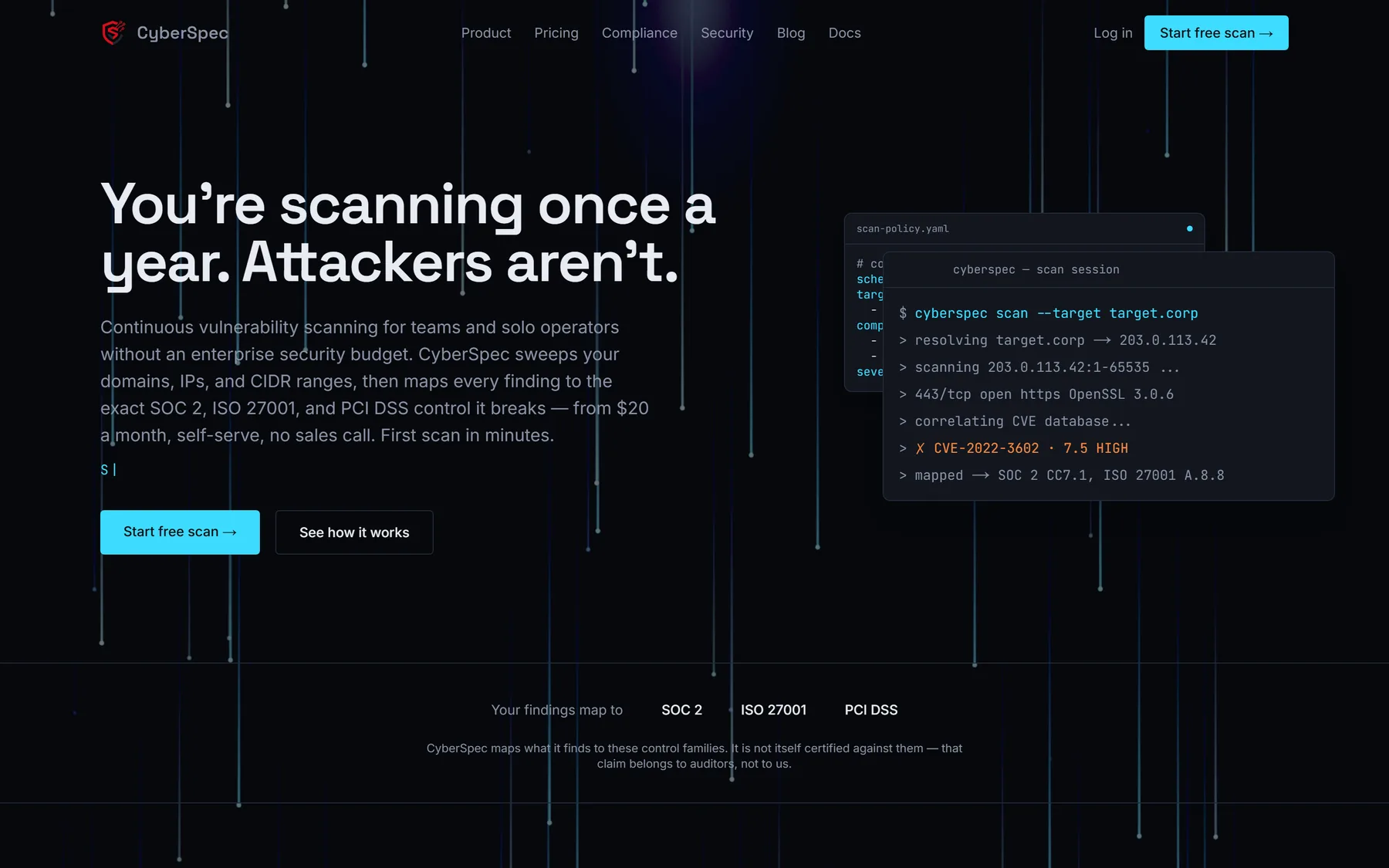
- Compliance mapping. Open findings map automatically to SOC 2, ISO 27001, and PCI DSS control families, so you can see which controls are affected right now. (CyberSpec maps to these frameworks. It isn't a certification itself, and it doesn't replace your auditor.)
Because it's a security product, it holds its own accounts to the same bar. TOTP two-factor setup is prompted on first sign-in, admins can't skip it, and anyone else who skips it gets an audit log entry. Backup codes are issued at enrolment, and active sessions can be viewed and revoked.
Pricing is built for teams without a security budget. The Free plan covers one asset with on-demand scans and needs no card. Pro is $20 a month for up to 20 assets, scheduled scans, and compliance mapping. Larger organizations can get uncapped assets, SSO/SAML, and dedicated support on Enterprise.
Do small businesses really need vulnerability scanning?
Yes, if anything faces the internet. Attackers run automated scans for specific vulnerable versions and exploit whatever responds, regardless of company size. A free scan of your main domain takes minutes and tells you whether you have an exposed, exploitable service today. That's a better use of 10 minutes than another policy document.
How often should you run vulnerability scans?
Weekly at minimum for internet-facing assets, plus an extra scan whenever a critical advisory lands for software you run. With exploitation now often starting before patches ship, a quarterly scan leaves you blind for most of the window that matters. Internal-only systems can run on a slower schedule.
What's the difference between a vulnerability scan and a penetration test?
A scan is automated and repeatable. It checks your exposed services against known vulnerabilities and runs on a schedule. A penetration test is a person (or team) actively trying to break in, chaining weaknesses together, usually once or twice a year. You need scanning continuously. Pen tests are a periodic deep check on top of it, not a replacement.
Where to start this week
If you do one thing after reading this, make it this: put every internet-facing domain and IP into a scanner and look at what comes back. Check any findings against the CISA KEV catalog. Anything that matches gets fixed before anything else on your board.
You can start a free CyberSpec scan on one asset with no card. If the results turn up something bigger, like an architecture that's hard to patch, or a compliance deadline your platform isn't ready for, our platform engineering team does exactly this kind of work. Tell us what you're dealing with.